
The practical guide to open-source AI
Check your PC. Choose your models. Build your local AI stack.
Six free tools take you from “what can my machine run?” to a working local setup you can verify. No account, no paywall.
Plan a new AI PC build →New? Start Here →
Step 0 · Orientation
How to use OpenSourcesAI
SYSTEM BRIEF: HOW TO USE OPENSOURCESAI
OpenSourcesAI is a decentralized, privacy-first technical workspace built to help you escape cloud vendor lock-in. Instead of paying recurring API subscription fees, use this interactive roadmap to audit your local graphics hardware (or plan a new build if you're buying), isolate compatible model versions (unquantized for power users, or GGUF—highly compressed files that fit regular laptops), and copy clean, ready-to-run startup scripts (zero dependencies means they work instantly without installing complex code libraries) to run open-weight models locally on your own terms.
Audit the PC you have. The Compatibility Checker matches your VRAM and RAM to models that actually fit.
PLANBuying or upgrading? The PC Builder turns your target models and budget into three build tiers.
CONFIGUREThe Model Wizard picks a model, runtime, and quantization for your workload — with copy-paste setup.
TESTLoad a small model in the browser Playground and feel how prompts behave before you commit.
Most people start here
Local LLM Compatibility Checker
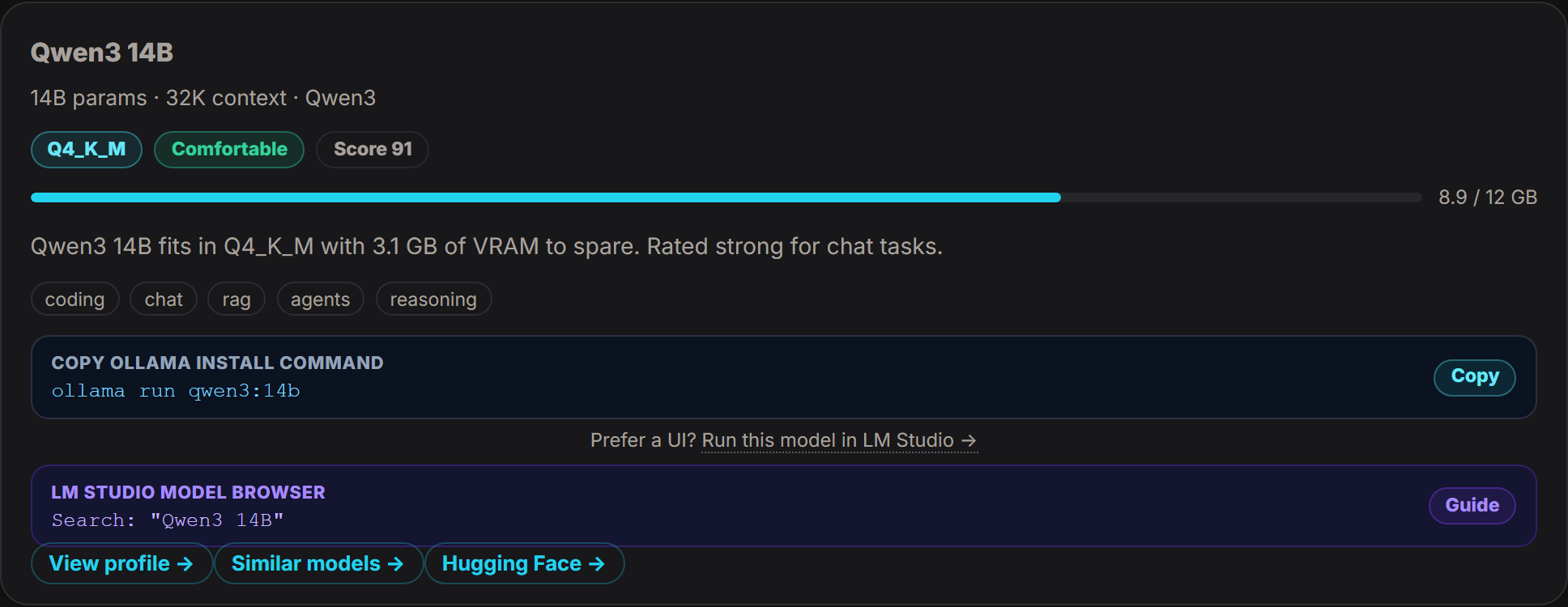
Pick a hardware preset — or enter your GPU, VRAM, and RAM — and get realistic local model matches with run commands, right on this page. No signup, and your specs never leave your browser session.
Optional helper
Auto-detect my device basics
We ask your browser for approximate memory, CPU thread count, and graphics renderer info. This is not a full PC scan — review and correct any field before running the checker.
Local LLM Hardware Compatibility Matrix
Select your graphics card memory (VRAM) and system RAM. The grading engine matches your hardware against each model’s minimum requirements. We require at least 2 GB of VRAM headroom above the model’s minimum before rating a fit as Comfortable.
Built by OpenSourcesAI · Free · No signup
Start with the right tool
These six are ours — built and maintained by OpenSourcesAI, free to use, and designed to hand off to each other. New here? Get a guided path on the Start Here page →
Already have a PC?
Compatibility Checker
See which local models realistically fit your GPU, VRAM, and RAM — with run commands included.
Planning a build or upgrade?
Local AI PC Builder
Pick a model size, workflow, and budget — get three build tiers with the exact parts to buy.
Not sure which model?
Model Builder Wizard
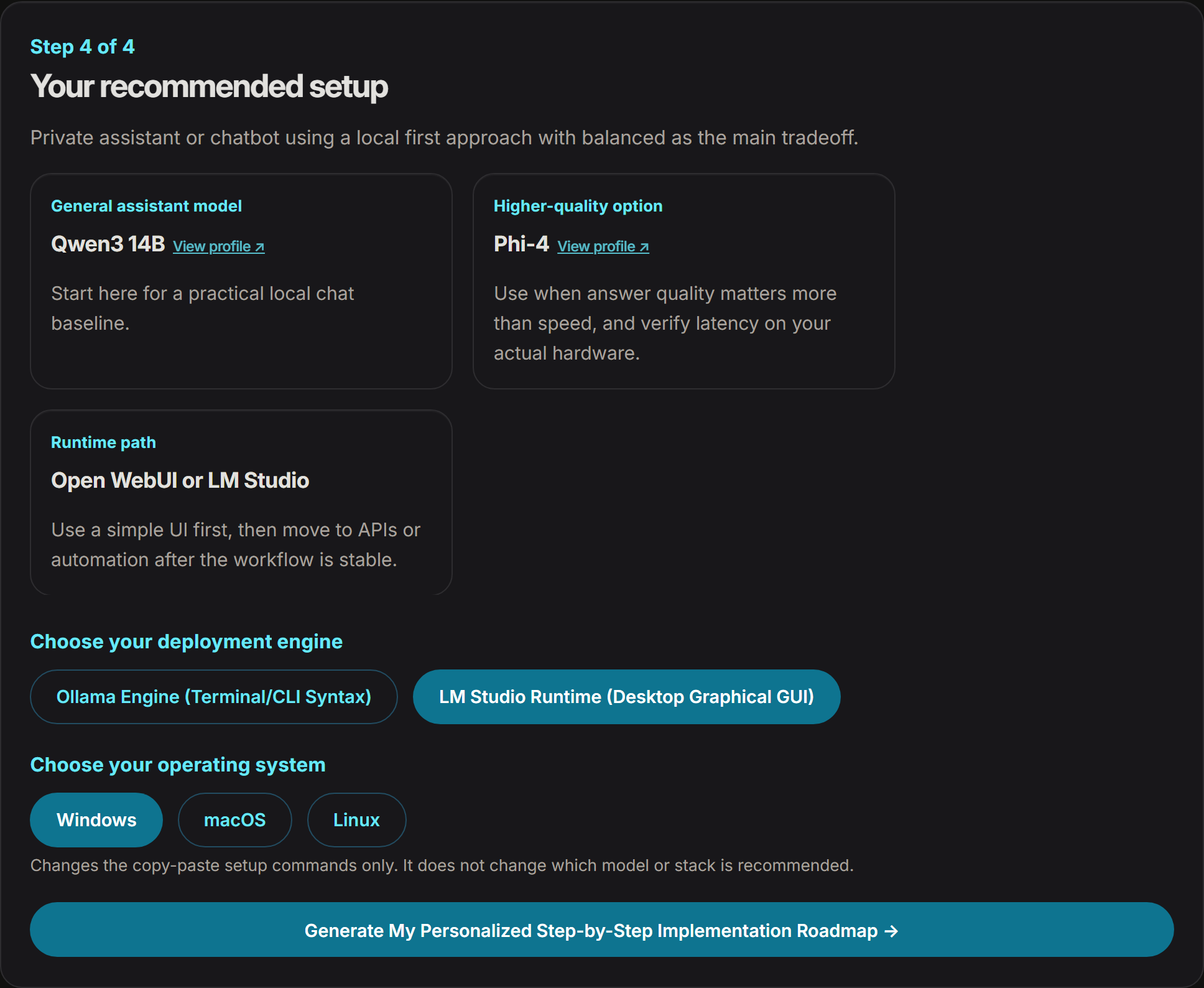
Answer a few plain-English questions and get a model, runtime, and stack matched to your goal.
Want to try it first?
AI Playground
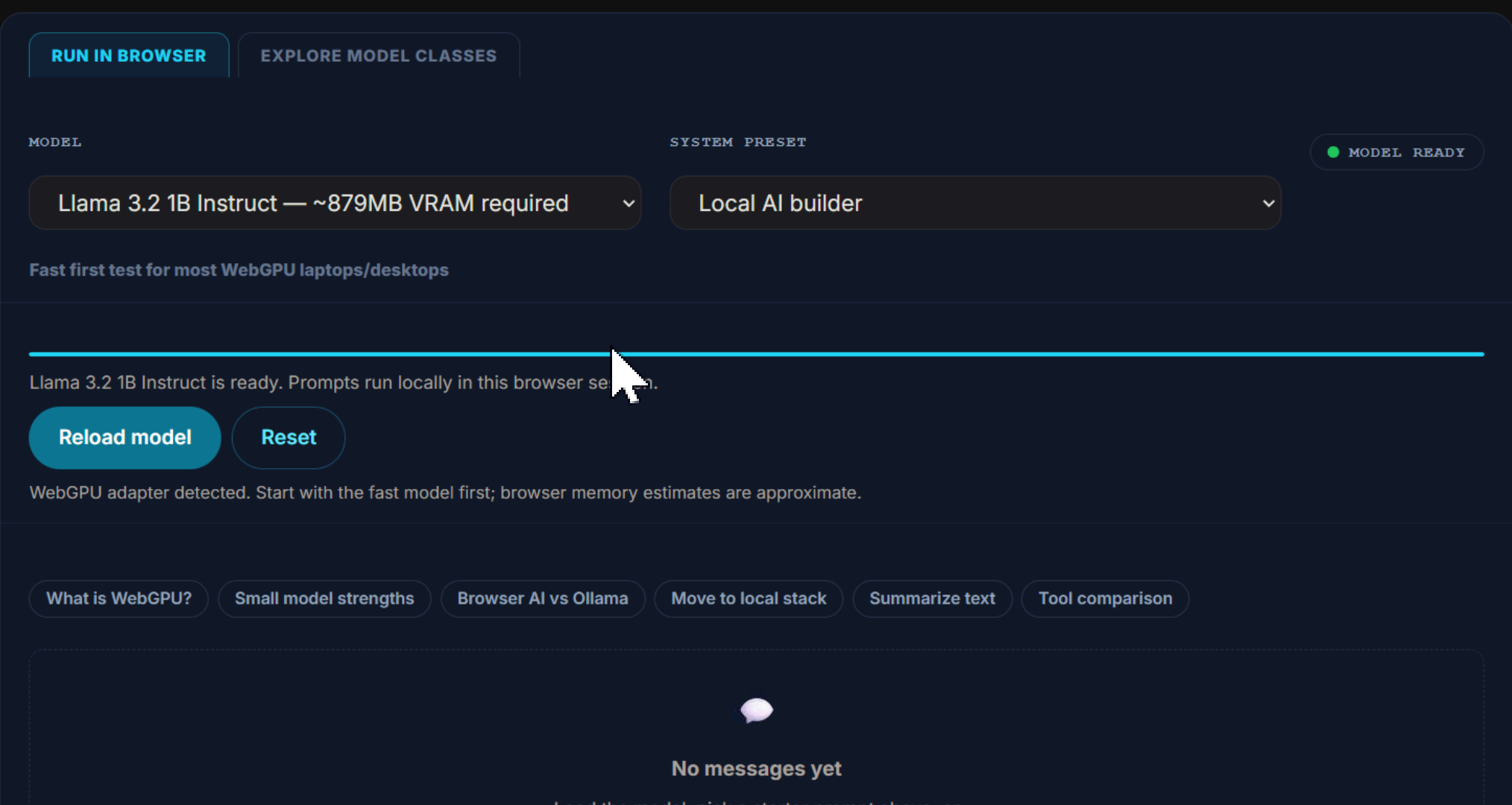
Load a small open model right in your browser and test prompts before you install anything.
Already running local AI?
Local AI Benchmark
Measure what your machine really does — speed, load time, and whether anything is quietly throttling it.
Want to see inside your setup? New
Command Center
See your real hardware, which installed models fit it, and what Ollama has loaded right now.
Real output
What the tools actually give you
Real output from our own tools — not mockups. Screenshots are re-captured whenever the checker catalog or scoring changes.
Newest reviews
Radar drops
The three most recently reviewed profiles in the directory, each dated from its own record. Browse the full directory →
Chatbox
People who want a polished desktop chat application over their local models — a single window for Ollama, LM Studio and cloud providers, without running a web server or living in a browser tab.
Read the reviewed profile →Cherry Studio
People who want one desktop chat client for both local and hosted models, and who want MCP tool access without wiring up a separate agent framework.
Read the reviewed profile →Grok Build
Developers who want a full-screen terminal coding agent whose harness they can read and build from source, and who are comfortable that the default model is xAI's hosted Grok 4.6 until they point the harness at their own OpenAI-compatible endpoint.
Read the reviewed profile →Browse by workflow
Featured ecosystem tools
Third-party open-source tools our editors have reviewed — the runtimes, interfaces, and databases you’ll run your planned stack with. Not built by us; tested and profiled by us.
Ollama
Run open models locally with a simple CLI, model library, desktop app, and local API.
Open WebUI
Self-hosted AI platform and chat interface for Ollama and other model backends.
LM Studio
Desktop app for discovering, downloading, chatting with, and serving local LLMs.
Qdrant
Open-source vector database with strong filtering and production-oriented retrieval features.
vLLM
High-throughput open-source LLM serving engine for production and research workloads.
Continue
Open-source AI coding assistant for VS Code and JetBrains with configurable models and context.
Why trust this
Built on transparency
Source-aware pages, commercial labels, and practical next steps.
Foundation: Three concepts that unlock everything else
Popular comparisons
Keep exploring
Go deeper once you have a plan: browse ready-made stack recipes, the knowledge base, and model profiles.
Common questions
Honest answers before you start
Do I need a GPU to run local AI?
No — small models (1–4B parameters) run on a normal CPU, just slower. A GPU with 8 GB+ of VRAM is where mid-size models get comfortable. The Compatibility Checker tells you exactly where your machine lands.
Does my data leave my browser?
The specs you enter in the Checker and PC Builder stay in your browser — we never upload them. The Playground runs its model locally in your browser via WebGPU. Analytics only runs if you accept it in the consent banner.
Is this really free?
Yes. All six tools are free with no account. The site earns money from clearly labeled affiliate links on some commercial tools — never from your usage of the tools or paywalled content.
Can my laptop run a local model?
Probably — most laptops from the last few years can run a small quantized model. Whether it feels good depends on RAM and (if you have one) GPU memory. Run the checker above; it is honest about “tight” fits.
Do I need to know how to code?
No. Tools like Ollama and LM Studio are install-and-run, and our recommendations come with copy-paste commands. If you can install an app, you can run a local model.
What if my hardware is too weak?
You still have paths: run a smaller model, use the PC Builder to plan an affordable upgrade, or rent a cloud GPU for occasional heavy jobs (we label those partner links clearly).
See what your PC can run
Free, no signup, about 60 seconds. Your specs never leave your browser.
See what your PC can run →